
The Connection, Inc Blog
The Connection, Inc has been serving the New Jersey area since 1992, providing IT Support such as technical helpdesk support, computer support and consulting to small and medium-sized businesses.


Building an effective home office gets expensive fast, but spending thousands on flashy hardware rarely solves productivity problems. Creating a functional workspace is about eliminating daily friction so you and your team can focus on getting work done.
Here are six practical strategies to build a reliable home office without burning through your budget.
0 Comments

How much time do you waste every day while trying to find specific files? Chances are, it’s more than you’d like, and one quick glance at your digital workspace would tell us you have some tidying up to do. Today, we want to share three tips to help you be more organized and productive with your digital workspace.

If your business is looking to cut costs, one area to focus on is printing. While paper documents have traditionally played a significant role in business operations, they can consume a lot of office space and are challenging to manage efficiently. Let’s explore how you can reduce your printing expenses and streamline your document management processes.

The workplace is, fittingly, a place for work to be done. While there are a lot of factors that can contribute to a person’s day-to-day productivity, having a space that is conducive to accomplishing their work tasks can be seen as essential. Let’s go over how you can design a workspace that does just that:

Microsoft Excel is, for many, the de facto spreadsheet-creation software. However, fewer know about its useful formatting capabilities and shortcuts. To help you make your own Excel sheets more comprehensible, we’re sharing some tips to help you format your documents.

If you’ve ever tried to wake up before 6:00am, you know how difficult it can be. Crawling out of bed can be pure torture, and the thought of working for another eight, ten, or even twelve hours can be soul-crushing. Despite how difficult it can be to wake up, getting out of bed early and starting your day on a positive note can set the tone for your entire workday. Here are six ways that you can make your mornings less painful and build a productive routine.
It’s important to remember that, just like starting any new routine, waking up earlier is going to take its toll and seem extremely difficult at first. If you can stick with it long enough to build a habit out of it, you can change the way you view waking up in the morning.
Wake Yourself Up with an Upbeat Alarm
Chances are that if you don’t have kids, you’re probably using an alarm clock to ensure that you wake up in time to get ready for work. You can make it easier to wake up by using a song that will make you want to get up and out of bed as soon as possible. Whether you’re a heavy metal nut or if you just like a funky tune, use something that’s loud and will help prepare you to start your day.
Keep Your Phone Out of Arm’s Reach
Most people sleep with their smartphones charging right next to their bedside. This makes it extraordinarily tempting to just hit the snooze button rather than wake up, especially if you have nowhere to be for a few hours. If you have your phone on, say, the other side of the room, you’ll be forced to get up in order to turn off the alarm. Once you’re out of bed, you might as well stay up and try to get something done.
Keep a Glass of Water Handy
After spending so many hours without water, your body will likely need something to ingest in order to function properly. By keeping a glass of water close to your bedside, you’ll have one of the most crucial elements of life itself on-hand to start the day with.
Get Some Exercise and Fresh Air
While the water might be helpful, it’s far from enough to get you to the point where you can work on anything important. You need to get your body moving, if only a little bit, if you want to feel fully awake and alert in time to get quality work done. Take a walk around the block, or go for a short morning jog. It doesn’t matter what it is, as long as you get your blood pumping.
Get Something Done
Here we are; the one thing that you’ve been trying to get to all morning. One of the best ways to ensure that you get work done in the morning is to do something that’s not necessarily important, but rather, you should do something that you care about the most. If you’re waking up to something that you want to do, you’re more likely to actually get out of bed and do it. For example, maybe you’re hooked on a TV series, but you’re just too tired to watch television when you get home. Try waking up to watch an episode while you eat your breakfast, then move on to other, more important tasks.
Eat Some Breakfast
Whether or not you eat breakfast in the morning can be a major factor for your mood and health throughout the day. In order to feel your best and get the most work done, you should eat some breakfast, be it a simple bowl of cereal or steak and eggs. Ideally, you want something that’s quick and easy to prepare.
What are some of your favorite ways to start the day the right way? Let us know in the comments, and be sure to subscribe to our blog for more great tips and tricks.

So you’ve outgrown your office space and need to relocate. Congratulations on reaching this milestone with your business, but do you know what to look for in a new building? Finding the perfect setup can be daunting, especially if you don’t know what to look for. To help you out, here are four tips to make your transition easier.

It’s incredible how working from home has become the new normal. Just a short time ago most business owners wouldn’t have batted an eye at shutting down the dreams of remote work, but because of the COVID-19 pandemic, they were forced to adjust the way they looked at the situation. Employees in several industries have been working from home ever since. Now that most places have begun to re-open, we thought we would remind you that there are actually some benefits to coming to the office.

With the exception of a sole proprietorship, a business of any size relies on its team in order to function properly. As a result, this team needs to be able to work together towards a common goal in order to succeed. To accomplish this, collaboration technologies are becoming more and more common in office environments, and generally benefit the performance of the business in its operations.

Technology can be complicated, and it doesn’t help when all you hear is an alphabet soup of acronyms used to describe it. As professionals, this kind of jargon has become a second language to us and it is easy to forget that not everyone will recognize these acronyms. For your reference, we’ve assembled some common ones you’ll probably hear us use.
-aaS
This means “as-a-service” and is typically preceded by another letter or letters, like “IaaS” (for Infrastructure-as-a-Service) or “DRaaS” (Disaster Recovery-as-a-Service). This means that a given business need is available from a service provider at a monthly, budgetable rate, with the provider managing whatever the solution in question is on an ongoing basis. This approach has grown in popularity amongst businesses, who benefit from the sustained nature of the given service delivered.
BI
BI, or business intelligence, is the culmination of data analysis to better understand business trends. While enterprises have put it to the most use, business intelligence and big data are slowly being introduced to businesses of all sizes to help them boost their operations.
BYOD
BYOD, or Bring Your Own Device, is a strategy that many businesses use to cut costs and boost their employee satisfaction by allowing their staff members to use their own devices in the workplace, rather than ones provided by the employer. With the right precautions in place, BYOD can prove to be very beneficial for the business’ budget.
DoS
A Denial-of-Service attack (and sometimes, a DDoS, or Distributed-Denial-of-Service attack) is a form of cyberattack where a system’s operations are overwhelmed by an onslaught of incoming traffic. The interruptions that this causes can create significant challenges for a business.
EOL
When a solution reaches its EOL, or its End-of-Life, it effectively means that the developer is no longer updating its security to protect it and, by proxy, its users. This makes it of significant importance to keep apprised of the status of your solutions and have plans to migrate away from any that are approaching their EOL dates. Windows 7 reached its EOL not too long ago, for example.
IoT
The IoT is shorthand for the Internet of Things, the assortment of non-traditional devices that feature an Internet connection to boost their capabilities. While the IoT is a fascinating development in technology today, it also presents many challenges to your organizational security that must be addressed.
LAN
A LAN, or a Local Area Network, is a network used to share resources between computers contained within a limited distance. This is present in many offices, especially those that share printers or access to other pieces of connected equipment.
MFA
Multi-factor authentication, sometimes referred to as 2-factor authentication, is the practice of requiring an additional means of verifying one’s identity as one requests access to an account or a resource. By identifying a user with a username, the traditional password serves as the first factor of authentication, while the second requirement might demand a PIN number dictated by an application, or even biometric information.
SSL
SSL, or Secure Sockets Layer, is a protocol for encrypting data between a server and the device a user has. Used to protect data as it passes from client to server and back again, SSL is what turns HTTP into HTTPS in a web browser.
UPS
Disasters are nothing to fool around with, which makes the inclusion of an Uninterruptible Power Supply so crucial to your infrastructure. Many pieces of computing hardware need to go through a process to safely shut down, so a sudden power outage is a dangerous prospect. A UPS gives them the juice needed to safely power down, protecting your business’ hardware.
VM
A VM, or a virtual machine, is an interesting piece of technology. Rather than installing an entirely new piece of hardware, a simulated version is introduced into an infrastructure, allowing users access to an additional solution set. This enables you to make use of additional resources without investing in additional hardware.
VoIP
As the acronym for Voice-over-Internet Protocol, VoIP describes an approach to telephony that cuts out a large chunk of the costs associated with office telephones. In addition, VoIP solutions come with many business-friendly benefits included, while they would ordinarily come at a cost.
VPN
A VPN is a virtual private network. A virtual private network effectively creates a tunnel that encrypts data as it makes its way to its destination, protecting it along the way. It is an excellent solution for a business, especially one that utilizes many remote workers.
WAN
WAN, or wide-area networks, are used by organizations that have multiple locations over a wider area by connecting multiple small networks into one larger network.
To learn more about these solutions, and many others that we can help you to implement, reach out to The Connection at (732) 291-5938.
 It’s time to be realistic and admit that the office can be an extraordinarily distracting place. Constant meetings and discussions, phones ringing, and emails hitting the inbox can all seem overwhelming. With so much going on, how can you get the most work done while still remaining in contact with your co-workers?
 Everybody loves a vacation from work, but nobody enjoys the stress of catching up when returning from said vacation. It doesn’t have to be this way. By taking a few precautions, you can avoid ever again having to say, “I need a vacation from my vacation.”
 All business owners understand that in order to stay competitive, their team must work as hard as they possibly can. Unfortunately, however, that’s not how human physiology works. Everyone needs a break now and again, and the office is no different. Remember elementary school, when you would curl up with a blanket and get some sleep during naptime? It turns out this might be a viable option in the office, too.
 When you’re in an electronics store searching for the perfect cable for your new piece of hardware, you’re going to find yourself wondering what the difference is between the cheap cables, and premium cables. How can you determine whether or not you need premium cables?
 Every business owner knows what’s expected of them when it comes time to onboard a new hire. When the training videos are all watched and the new employee is lined up to kick butt and take names, is that when your job as overseer ends, or is there more that you can do to get more productivity out of your staff?
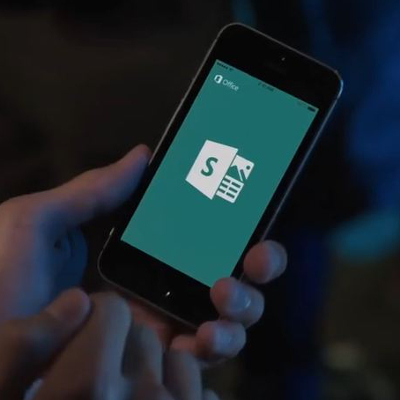 Microsoft’s latest Office application, MS Sway, is looking to make some big changes to the way professionals display presentations. Designed as a cross-platform content aggregation tool, Sway is capable of creating and sharing dynamic web-based presentations that are just bold enough to catch the eye. How is Microsoft Sway looking to change the way businesses present information?
News & Updates
The Connection, Inc. Celebrates 32 Years as a Trusted Technology Provider! Since our founding in 1992, technology and the way we operate and do business has changed a lot. Companies that have adapted and aligned themselves with ...
Understanding IT
Get the Knowledge You Need to Make IT Decisions
Technology is constantly evolving, and keeping up can feel overwhelming. Whether you want to understand cybersecurity threats, explore automation, or learn how regulations like PCI DSS impact your business, we’ve made it easy to access clear, straightforward insights on key IT topics.
Contact Us
Learn more about what The Connection can do for your business.
The Connection
51 Village CT
Hazlet, New Jersey 07730